The Power of Visual Communication in Information Technology Security
In an increasingly digital world, information technology security has become a cornerstone of modern life. Whether you are a business owner protecting client data, an IT professional managing network defenses, or a designer creating educational materials, the way you communicate security concepts matters. Visual aids—especially icons—play a critical role in making complex security topics accessible, memorable, and actionable. This article explores why IT security icons are essential, how they enhance understanding, and what makes a high-quality icon set truly valuable for your projects.
Why Information Technology Security Needs Clear Visuals
Cybersecurity is inherently abstract. Terms like "firewall," "encryption," "phishing," and "multi-factor authentication" describe processes that happen behind the scenes, often invisible to the average user. Without visual cues, these concepts can feel intimidating or irrelevant. Icons bridge that gap. A well-designed padlock icon instantly communicates "secure connection." A shield symbol conveys protection. A warning triangle signals caution. These visual shortcuts reduce cognitive load and help people grasp essential ideas quickly, without needing a technical background.
From corporate training materials to public-facing apps, icons serve as universal language. They transcend words, making security guidance accessible to diverse audiences including non-native speakers, people with learning differences, and even children learning about online safety. In this way, icons are not just decorative—they are functional tools that improve comprehension and behavior.
The Role of Icons in Modern Cybersecurity Communication
Icons appear everywhere in IT security contexts:
- User interfaces (UIs) for security software, password managers, and VPN apps
- Infographics explaining threat landscapes or security protocols
- Presentations and training decks for employee awareness programs
- Documentation and whitepapers that outline security policies
- Marketing materials for cybersecurity products and services
In each case, icons help viewers quickly identify key themes and navigate information. A consistent icon set builds trust and professionalism, signaling that the organization takes security seriously.
Anatomy of a High-Quality Security Icon Set
Not all icon sets are created equal. When selecting or creating icons for IT security content, several factors determine their effectiveness:
Clarity and Recognizability
An icon must be instantly understood. A lock should look like a lock, not an abstract shape. A network node should clearly suggest connectivity. Ambiguity defeats the purpose. The best icons use familiar metaphors and maintain enough detail to be recognizable even at small sizes.
Consistency in Style
Using a mismatched collection of icons from different sources creates visual noise. A cohesive set features uniform line weights, consistent color palettes, similar levels of detail, and harmonious proportions. This consistency makes your materials look polished and professional.
Scalability and Versatility
Icons must work across media—from tiny app buttons to large poster prints. Vector formats like AI (Adobe Illustrator) and EPS (Encapsulated PostScript) allow infinite scaling without quality loss. These formats also enable easy editing, color changes, and adaptation to different backgrounds and branding requirements.
Practical Customizability
No two projects are exactly alike. The ability to tweak colors, combine elements, or adjust proportions is invaluable. An icon set that arrives as locked, uneditable raster images limits your creative freedom. In contrast, well-organized vector files with named layers and grouped objects empower you to make changes quickly.
Introducing a Special AI EPS Collections for IT Security Icons
Let's be honest: sourcing high-quality icons for your security-related projects can be time-consuming. You might find individual icons scattered across free sites, but they rarely match in style or quality. Or you might commission custom illustrations, which can be expensive and slow. This is where a purpose-built AI EPS collection becomes a game-changer.
Imagine having a complete set of information technology security icons—designed with consistency, precision, and real-world use cases in mind. That is exactly what you get with our special AI EPS Collections for IT security. Hello, and welcome to a solution that bridges the gap between professional design and practical functionality.
What Makes This AI EPS Illustration Set Special for You
This collection is not just another random bundle of clip art. Every icon has been crafted with a clear purpose: to help you communicate security concepts effectively. Here is what sets it apart:
- Purpose-Driven Design: Each icon addresses a specific security concept you are likely to need—authentication, encryption, network security, threat detection, and more.
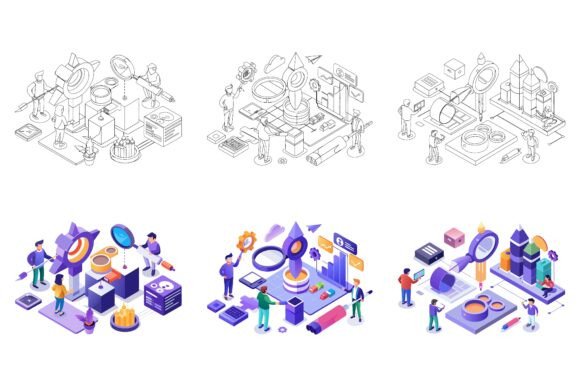
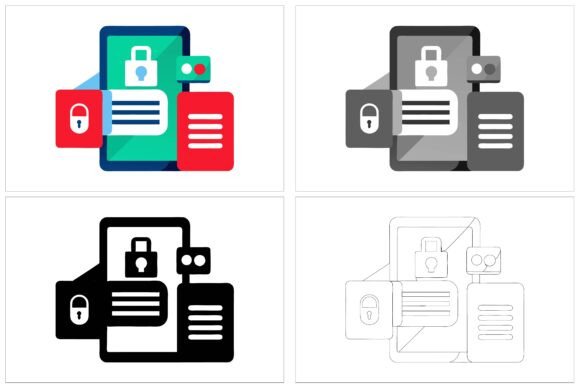
- Three Variations per Icon: You receive three distinct visual interpretations of each security theme. This variety allows you to choose the style that best fits your audience and medium, whether you need a minimalist outline, a filled silhouette, or a detailed illustrative version.
- Professional File Formats: The set includes AI, EPS, and JPG files. AI and EPS are industry-standard vector formats, perfect for scaling and editing. JPG versions provide immediate use in applications that require raster images.
- Cross-Platform Compatibility: Designed for both Mac and Windows users, the files open seamlessly in Adobe Illustrator, CorelDRAW, and other major design software.
- Neatly Organized Structure: Files are arranged with clear layer names and logical grouping. You can find, select, and modify individual elements without hunting through layers of random paths.
- Perfection in Details and Consistency: Every icon shares the same design language—stroke weights, corner radii, spacing, and visual balance are carefully maintained across the entire set.
Practical Applications of IT Security Icons
Once you have a robust icon set, the possibilities are vast. Here are some real-world scenarios where these illustrations add value:
Educational Content and Training
If you are creating a cybersecurity awareness course for employees, icons can illustrate each module: password hygiene, recognizing phishing emails, safe browsing habits, and incident reporting. Visuals make the material more engaging and help learners retain information longer.
App and Web Design
For product teams building security tools, icons are essential for navigation (e.g., a key icon for "Password Settings"), status indicators (e.g., a green lock for "Secure Connection"), and feature highlights. Consistent icons improve usability and brand recognition.
Infographics and Reports
Annual security reports, threat landscape analyses, and compliance documentation often contain dense data. Icons break up text-heavy pages and provide visual anchors that guide the reader through key findings. A well-placed icon can transform a dry statistic into a memorable point.
Marketing and Branding
Security companies, consultants, and managed service providers use icons in their websites, brochures, social media graphics, and proposals. Professional icons convey expertise and reliability, helping you stand out in a competitive market.
How to Get the Most Out of Your Icon Collection
To maximize the value of your AI EPS security icon set, consider these best practices:
- Plan your visual hierarchy. Use larger, more detailed icons for primary concepts and simpler versions for secondary elements.
- Customize colors to match your brand. Open the AI or EPS files and adjust the fill and stroke colors using your organization's palette. This ensures visual consistency across all your materials.
- Combine icons with short labels. While icons are powerful on their own, pairing them with one- or two-word labels (e.g., "Encryption" next to a shield icon) eliminates any possible ambiguity.
- Use variation intelligently. For a presentation, you might use the detailed variation for the title slide and the simpler version for body slides. This creates visual interest without overwhelming the audience.
- Maintain consistency across projects. Once you commit to a particular icon style, use it consistently in all your security communications to build a cohesive visual identity.
Clarifying Common Misunderstandings About Security Icons
Some assume that icons are merely decorative—an afterthought in the design process. In reality, well-chosen icons are functional. They reduce the time it takes for a user to understand a concept, which is especially critical in security contexts where quick recognition can prevent costly mistakes.
Another misconception is that free icons are just as good as premium collections. While free resources can be useful, they often lack consistency, scalability, and editing flexibility. Free sets may also miss key security-specific icons, leaving you to mix styles or create your own from scratch—both of which undermine professionalism.
Finally, some believe that vector files are too technical for non-designers. However, modern tools like Adobe Illustrator have become increasingly user-friendly, and many programs support drag-and-drop import of EPS and AI files. With a little practice, even beginners can customize colors and resize icons with confidence.
Why Investing in a Quality Icon Set Pays Off
Time is money. Searching for individual icons, adjusting mismatched styles, and struggling with low-resolution graphics eats into your productivity. A comprehensive, well-organized icon set eliminates these headaches. You get immediate access to professional visuals that work out of the box and can be adapted as needed.
Beyond efficiency, there is the intangible benefit of credibility. In the security field, perception matters. Materials that look polished and consistent inspire confidence. When you present information with clear, recognizable icons, your audience perceives you as thorough and trustworthy.
Start Using This Awesome Illustration Set Today
You now understand why information technology security icons matter, what makes a quality collection, and how these visual tools can elevate your projects. Whether you are a designer creating the next great security app, a trainer building an awareness program, or a business owner communicating your security posture, the right icon set makes your work easier and more effective.
So what are you waiting for? Buy now and start using this awesome illustration set. With three variations per concept, full editing freedom in AI and EPS formats, instant compatibility with Mac and Windows, and meticulous attention to detail, you are investing in a resource that will serve you for years to come. Elevate your security communication, engage your audience, and make your message unforgettable.